
Using SafeSend
A secure, simple way to send and receive files from McMill
Best Practices for Sending Files
-

Before sending files, collect ALL your documents – one upload is preferred.
-
Combine files (especially tax documents) in one pdf file, when possible.
-
Keep “McMill Office” in the “To” field.
-
In the large message box below the “Subject” line type the Recipient’s name (example – ATTN: CPA Joe Smith) in the message box along with any other notes.
-
Click the “Attach File(s)” button to select your file(s) OR drag them into the large message box below the “Subject” line (limit use of photos (JPEGs, etc.))
-
After all your files are loaded, then click the “Send” button one time.
These processes improve our efficiency and help keep costs down.
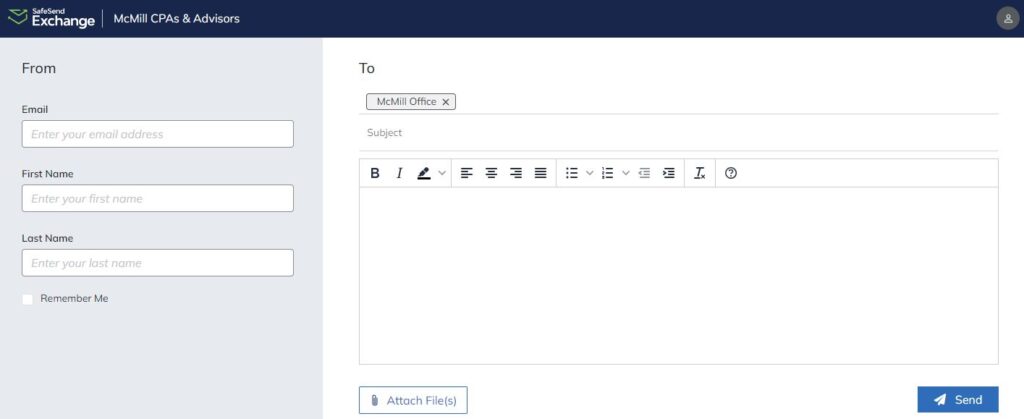
SafeSend allows us to offer a secure way for you to send all your important documents to our team. Instead of sending sensitive information through email, you can quickly send us your files by dragging them into the SafeSend dropbox window, accessible by clicking the button above.
Access Copies of Completed Tax Returns
When your return is complete, McMill will send you an email with instructions for you to access your return via SafeSend.
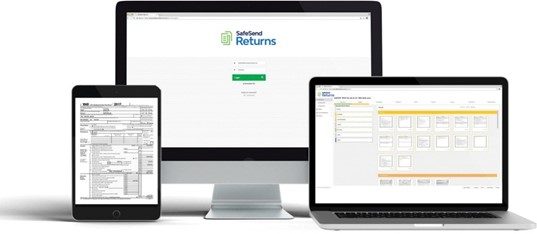
SafeSend Returns – Option for Delivery and E-Signing of Prepared Returns
If interested, let your CPA know or contact McMill directly.
SafeSend allows you to securely review and sign your return—all from your computer, tablet or smartphone.
We are proud to offer our clients an e-signing platform where you can:
-
Review your return
-
E-sign for your 1040
-
View scheduled payments
-
Easily pay taxes and invoices directly from your device
-
Estimated tax reminder emails
-
Download, sign and disperse K-1’s electronically.
These processes improve our efficiency and help keep costs down.
SafeSend FAQs
Check your spam/junk email folder. If you do not receive your code within 10 minutes, please request another code.
Yes. You will be able to download the final documents after you have reviewed and electronically signed your documents.
Yes. If you receive estimated payments in your review copy you will automatically receive an email reminder.
You will recieve an email notification from McMill at . To avoid these emails getting marked as spam, we recommend adding our email to your safe list.
SafeSend Returns offers a highly secure technology solution that allows you to manage your tax returns. Some ways to double-check for security are to check for HTTPS:// at the front of the URL and a locked padlock symbol in your browser’s URL bar.
If you forget your security questions you will not be able to electronically sign your e-file authorization form(s). Instead, you can print, sign and return your e-file authorization form(s) to McMill.
E-filing submits your tax return to the IRS. SafeSend Returns only allows you to electronically sign your authorization form(s). Once signed, McMill will be notified and will complete the filing process for you, including submission to the IRS.
Although we recommend utilizing the electronic signature, you can still print, sign, and mail your e-file form(s) back to McMill if you would prefer.
Questions? Call us at 402-371-1160 or toll-free 800-694-1160.